1. Go to zoom.us in Chrome and Sign In using your Google Single Sign-On.
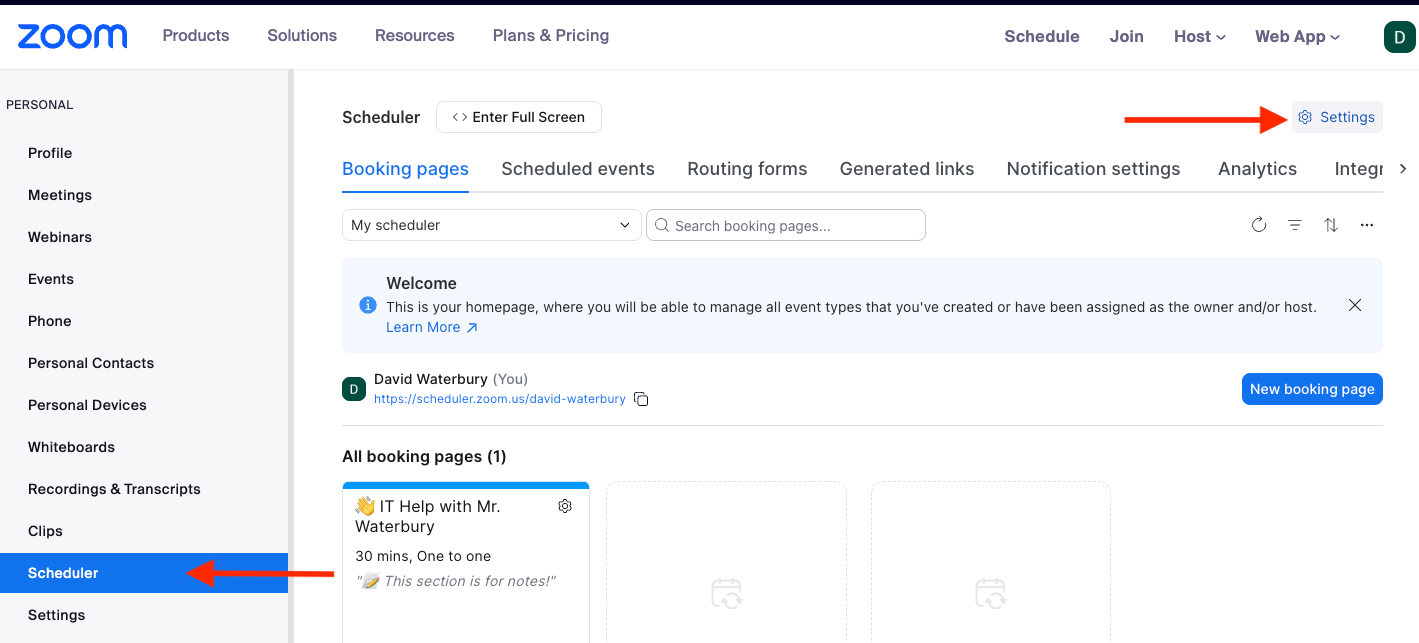
2. On the left side column, click "Scheduler". Then click "Settings" in the upper right corner.
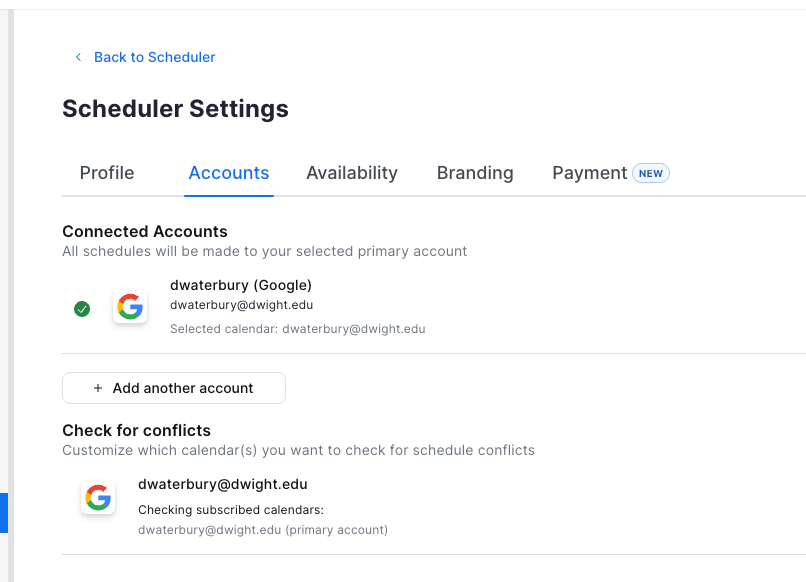
3. Click on the "Accounts" tab.
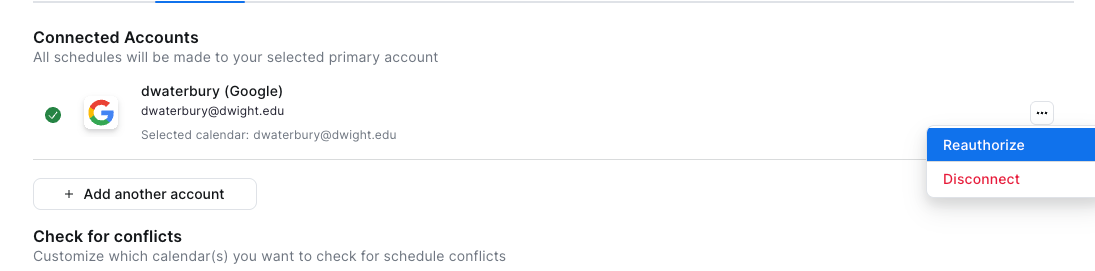
4. Over to the right side of your account, you'll see 3 dots. Click on those. Then Click "Reauthorize".